


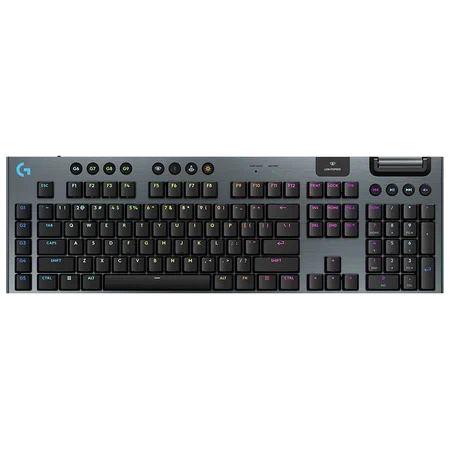
Gaming keyboards have evolved significantly over the years, and wireless technology has become increasingly popular among gamers. If you are planning to upgrade your gaming setup, The Ultimate Guide to Buying a wireless gaming keyboard will help you understand what features matter most and how to choose the right keyboard for your needs. From performance to design, this guide covers everything you should consider before making a purchase.
Why Choose a Wireless Gaming Keyboard?
Wireless gaming keyboards offer freedom and flexibility that wired keyboards cannot always provide. With no cable restrictions, gamers can maintain a cleaner desk setup and enjoy greater mobility during gameplay.
Modern wireless keyboards also feature advanced technologies that minimize input lag, making them suitable even for competitive gaming. Many high-end models deliver performance nearly identical to wired keyboards, ensuring a smooth and responsive gaming experience.
When following The Ultimate Guide to Buying a Wireless Gaming Keyboard, it becomes clear that wireless options are no longer just about convenience—they also deliver strong performance and reliability.
Key Features to Look For
When shopping for a wireless gaming keyboard, several important features can impact your overall experience.
1. Connectivity and Latency
A good wireless gaming keyboard should offer low-latency connectivity. Many models use 2.4GHz wireless connections or Bluetooth technology to ensure stable and responsive performance during gaming sessions.
2. Mechanical vs Membrane Switches
Mechanical switches are often preferred by gamers because they provide tactile feedback, faster response times, and improved durability. Membrane keyboards are quieter and usually more affordable, but they may not deliver the same level of precision.
3. Battery Life
Battery life is another critical factor. Some wireless gaming keyboards can last weeks or even months on a single charge, while others may require more frequent charging. Long battery life ensures uninterrupted gameplay.
4. RGB Lighting
RGB lighting adds a visual element to gaming setups and allows gamers to customize their keyboard appearance. Many keyboards offer software that lets users create unique lighting profiles and effects.
Build Quality and Comfort
Comfort plays a major role in long gaming sessions. Look for keyboards with ergonomic designs, wrist rests, and durable materials such as aluminum frames.
High-quality keycaps and a sturdy build ensure that the keyboard can withstand intense gaming use. According to The Ultimate Guide to Buying a Wireless Gaming Keyboard, durability and comfort are essential factors that directly affect gaming performance.
Compatibility and Software Support
Most wireless gaming keyboards come with dedicated software that allows users to customize key functions, macros, and lighting effects. This can be extremely useful for players who want to optimize their setup for specific games.
Make sure the keyboard you choose is compatible with your operating system and supports the software features you need.
Price vs Performance
Wireless gaming keyboards come in a wide range of prices. Budget models offer basic features and decent performance, while premium options include advanced switches, longer battery life, and customizable RGB lighting.
When considering your purchase, it is important to balance price and performance. The Ultimate Guide to Buying a Wireless Gaming Keyboard emphasizes that the best keyboard is not always the most expensive one—it is the one that fits your gaming style and budget.
Final Thoughts
Choosing the right keyboard can significantly enhance your gaming experience. By considering factors such as connectivity, switch type, battery life, build quality, and customization options, you can find a keyboard that perfectly suits your setup.
With the insights provided in The Ultimate Guide to Buying a Wireless Gaming Keyboard, you will be better prepared to select a high-quality keyboard that delivers both performance and comfort for your gaming sessions.
